Close Menu
  • technology
  • Artifical Intelligence
  • networking
  • Software
  • Security
What's Hot

Bed bugs insecticides: how to choose the right solution for effective bed bug control

August 6, 2026

Car Key Programming vs. Car Key Replacement: A Guide for Lake Worth Drivers

August 5, 2026

What KVM Actually Means When You Buy VPS Hosting

August 4, 2026
Technoticia
  • technology

    What KVM Actually Means When You Buy VPS Hosting

    August 4, 2026

    ALLPOWERS Launches BS5000 PRO for Smarter Home Energy

    July 30, 2026

    The Support Bot Finally Learned to Read: Why Website Chat Assistants Are Worth a Second Look

    July 24, 2026

    The Next Frontier in Global Tech: How Sub-Second AI Voice Translation Is Eliminating Borders

    July 22, 2026

    How Local Businesses Can Use AI Visual Tools to Improve Digital Marketing

    July 17, 2026
  • Artifical Intelligence
  • networking
  • Software
  • Security
Technoticia
Home » Blogs » What You Should Know Before Launching a Website
Software

What You Should Know Before Launching a Website

FranciscoBy Francisco
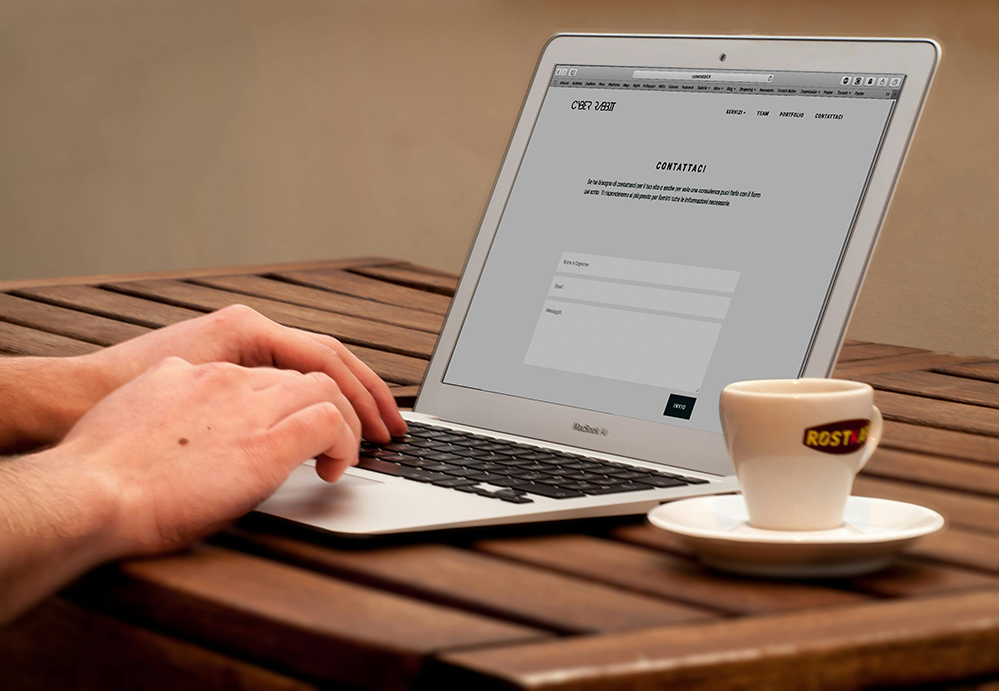
hand using the laptop keyword and touch mouse

If you’re not familiar with the field, the safest approach is to enlist the help of a specialist or a company that creates websites. Still, the very first step is to purchase a domain whose name fits the character of the site. Whether it will be personal or business-oriented.

You’ll also run into several terms that some people (not always correctly) use interchangeably: portal, web service, and website.

  • A portal is the broadest in scope or devoted to a specific subject area.
  • A web service can encompass many separate websites.
  • A website is the most common term; it’s often used for all of the above, but it can just as easily be a simple, static information page with no content updates.

Next Steps

Regardless of whether you’re building a portal, wortal, or simple website, the administrator must be able to update content and even change the layout or interface. That’s where a CMS (Content-Management System) comes in. The site designer must choose which CMS to use; several popular, user-friendly options include:

  • WordPress – the most popular and beginner-friendly; once you get accustomed to it you can quickly build a site yourself using its ready-made templates.
  • Joomla – favored by many businesses for its flexibility.
  • Drupal – recommended for feature-rich or academic content–heavy sites.
  • ModX – next in popularity among major CMSs.
  • ExpressionEngine – often cited in fifth place.

Other noteworthy systems are TextPattern, Contao, DotNetNuke, Umbraco, and Concrete5.

Before finalizing your CMS and hosting, it’s also important to strengthen your practical knowledge of web development. Building small projects with HTML, CSS, and JavaScript not only improves your technical skills but also gives you hands-on experience to manage and customize websites more effectively. This practice ensures that when you launch your site, you’ll already be comfortable handling both design and functionality.

Free templates are available both across the internet and inside these CMSs. Nonetheless, hiring a professional web-development firm is worthwhile: they can fully customize the site for your needs and provide stronger protection against intruders.

Finally, your site must reside on a specific server. Large organizations, especially IT companies or online stores, maintain their own servers. For portals with modest amounts of content and infrequent updates, it’s usually better to use a reputable company that offers hosting services.

Francisco

Related Posts

How to Turn One Photo into a YouTube Thumbnail, Instagram Post, and Story

July 20, 2026

Lekulent: Exploring the Meaning, Potential, and Digital Future of a Rising Keyword

June 29, 2026

The Evolution of Chinese-Themed Mahjong iGaming in the Industrial Entertainment World

June 24, 2026

Comments are closed.

Recent Posts
  • Bed bugs insecticides: how to choose the right solution for effective bed bug control
  • Car Key Programming vs. Car Key Replacement: A Guide for Lake Worth Drivers
  • What KVM Actually Means When You Buy VPS Hosting
  • ALLPOWERS Launches BS5000 PRO for Smarter Home Energy
  • How Does AI Outpainting Actually Work?
About

Technoticia is the utilization of artificial intelligence to personalize news feeds. This means that readers receive content tailored to their interests and preferences, enhancing engagement and relevance.

Tat: Instant

Mail: info@technoticia.com

Recent Posts
  • Bed bugs insecticides: how to choose the right solution for effective bed bug control
  • Car Key Programming vs. Car Key Replacement: A Guide for Lake Worth Drivers
  • What KVM Actually Means When You Buy VPS Hosting
  • ALLPOWERS Launches BS5000 PRO for Smarter Home Energy
  • How Does AI Outpainting Actually Work?

Subscribe to Updates

Get the latest creative news from FooBar about art, design and business.

© Copyright 2023, All Rights Reserved | | Designed by Technoticia
  • About Us
  • Contact
  • Privacy Policy
  • DMCA
  • Term and Condition

Type above and press Enter to search. Press Esc to cancel.