
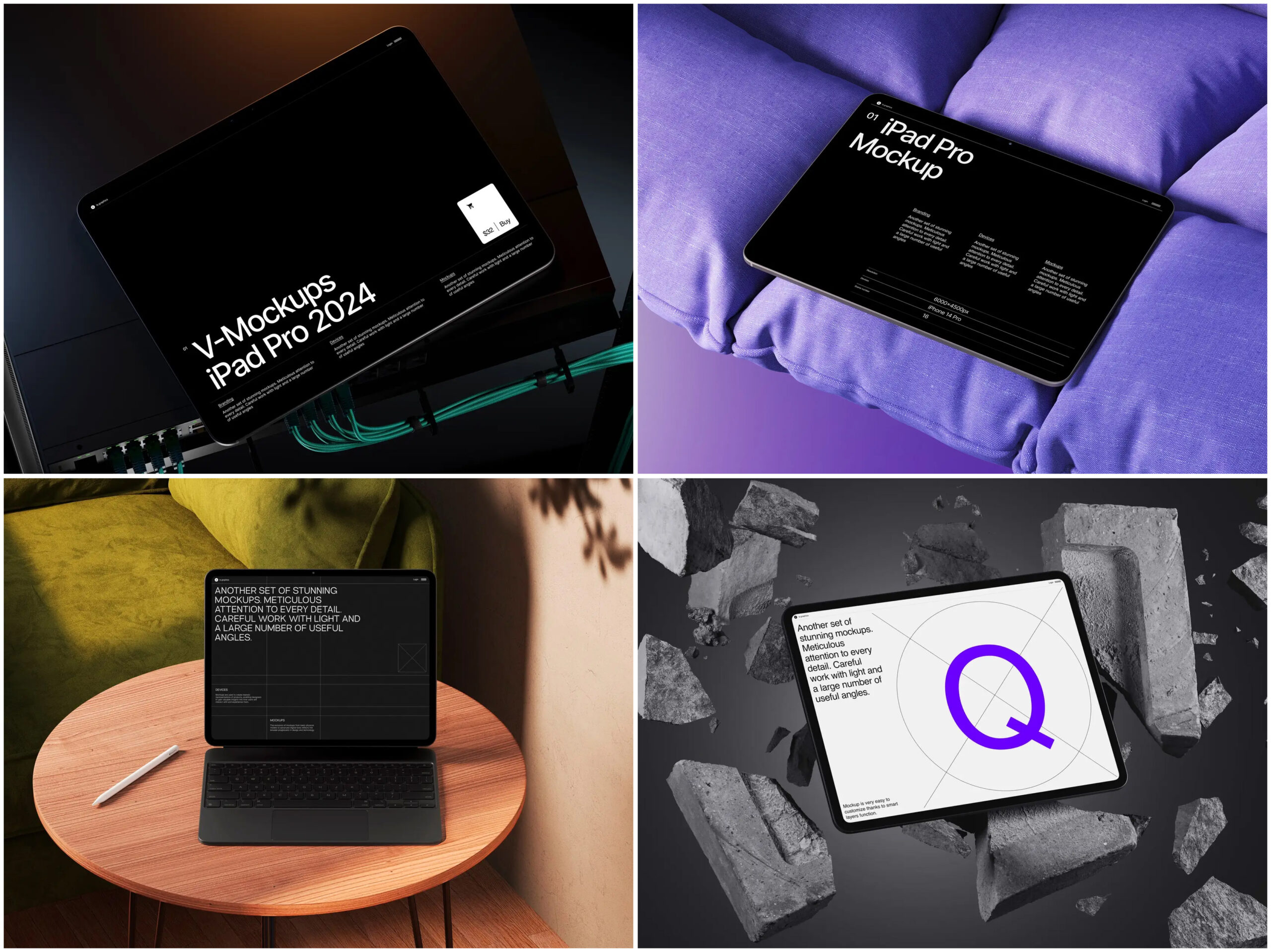
First impressions live and die between a designer’s vision and a client’s imagination. The right mockup doesn’t just show a product — it tells a story your audience already wants to believe.
There’s a particular anxiety that visits every designer before a client presentation. You’ve spent weeks crafting a responsive layout — but how do you convey that magic before a single line of code goes live? Static screenshots fall flat. Verbal descriptions fall short. What the moment calls for is a well-crafted iPad mockup: something that bridges concept and conviction in a single glance.
The iPad sits at a fascinating crossroads between phone and desktop — large enough to show genuine design intent, intimate enough to feel personal. Placing your website inside a photorealistic scene isn’t purely stylistic. It’s a strategy that collapses the gap between a rough prototype and a polished product.
Why iPad Mockups Work So Well for Web Presentations
Clients are not always designers, and that’s fine. When you hand someone a Figma link or a staging URL, you’re asking them to do imaginative heavy lifting. A great iPad mockup removes that burden. The device signals quality and modernity. When your design appears on that screen, something clicks in the viewer’s mind: they stop evaluating a prototype and start experiencing a finished product.
Beyond psychology, iPad mockups offer real practical wins:
- They communicate scale and proportion instantly — font sizes, tap targets, and spacing rhythms read correctly in context
- They let designers control emotional register: a marble surface feels premium, a dark wooden desk feels editorial, warm linen feels artisanal
- They work across pitch decks, social posts, case studies, and portfolio pages without additional adaptation
- They make revision conversations faster — non-technical clients can see something close to the final experience
Real-World Examples: iPad Mockups in Practice
E-commerce pitches. A fashion brand’s creative director presents a redesigned store to investors using an iPad mockup on marble. The premium aesthetic that lived in spreadsheets suddenly becomes visible. The project is greenlit that afternoon.
Agency portfolios. A digital studio replaces live links with iPad mockups. Designs are frozen at their best moment — perfectly scrolled, impeccably lit — and new client inquiries consistently cite the portfolio as their reason for reaching out.
SaaS onboarding videos. A startup illustrates their product flow using different device angles for each screen, guiding the viewer like a visual narrative. Their explainer video converts at nearly twice the industry average.
Product launches. A tech company preparing a landing page reveal uses iPad mockups across teaser campaigns in social media. Instead of showing flat UI screens, they present the product in lifestyle contexts — café tables, workspaces, hands in motion. Engagement rates increase significantly because the audience can immediately imagine using the product in real life.
“The mockup is not decoration. It is the first moment your design speaks to someone who hasn’t been living inside it with you.”
iPad Mockups on ls.graphics: Premium Quality Worth Knowing
Not all mockup libraries are created equal. The iPad collection at ls.graphics is built to a standard that reflects how serious designers present work. Every scene features ultra-realistic rendering with light behavior so convincing it’s hard to distinguish from a photograph — reflections land correctly, shadows soften naturally, screens glow with authentic luminosity.
Files come with meticulously organized layers, so swapping your design in takes seconds. The library covers many different angles — straight-on, tilt, dramatic perspective, flat lay, hand-held — plus different color styles across device finishes and surfaces. Compositions favor stylish minimalistic arrangements that keep every eye where it belongs: on your work.
A standout feature is Edit Online — insert your screen directly in the browser, no software needed. For revision sessions during a live client call, this is game-changing. A large number of free scenes are also available to try before committing, giving you a genuine sense of the collection’s quality.
Tips for Getting the Most from Your Scene
Even a great template can’t save a poorly prepared screen. Before placing your design, check the following:
- Export at the correct resolution — iPad screen dimensions vary by model, so consult the documentation for exact pixel specs
- Make your scroll position intentional; above-the-fold content reads stronger than a mid-page crop
- Choose a surface that complements your UI’s palette — contrast between screen and background makes designs pop
- Use subtle motion blur or depth cues when available — slight realism effects can make static scenes feel more alive and cinematic
- Match lighting direction between UI and environment — consistent light logic prevents visual dissonance and strengthens realism
Conclusion
When you place your website inside a beautifully rendered iPad scene, you’re not just showing a layout — you’re presenting a vision your client is being invited into. That distinction changes conversations and accelerates approvals. Reach for assets that match your ambitions: photorealistic, thoughtfully composed, technically impeccable. The free and premium library at ls.graphics was built with precisely that standard in mind. Your design deserves to be seen. Give it the stage it’s earned.
